MenuUtils folds the power-user tools you keep open all day — system and network monitoring, clipboard history, on-device meeting transcription, app and Xcode cleanup, a keyboard cleaning mode, and a menu bar hider — into one calm, native menu-bar app.
macOS 26.0 or later Apple Silicon Notarized by Apple
Apps scanned58
Reclaimable90.52 GB
Soft Lock⌃⌥⌘U
Modules
08
Accounts
00
Telemetry
00
Status item
01
01 The modules
Eight tools. One status item.
Each module lives in the same menu-bar panel and switches on or off on its own. Every screenshot here is the running app — no mockups.
01/08
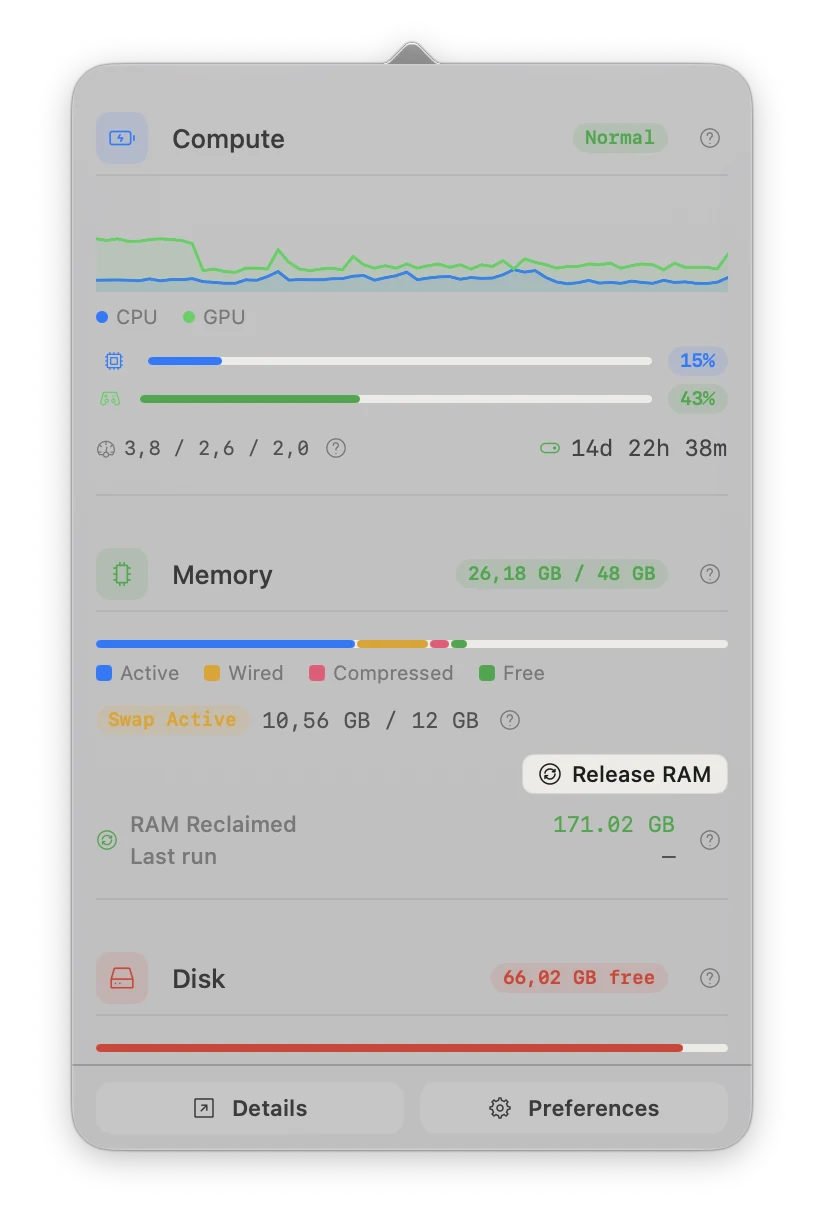
System Monitor
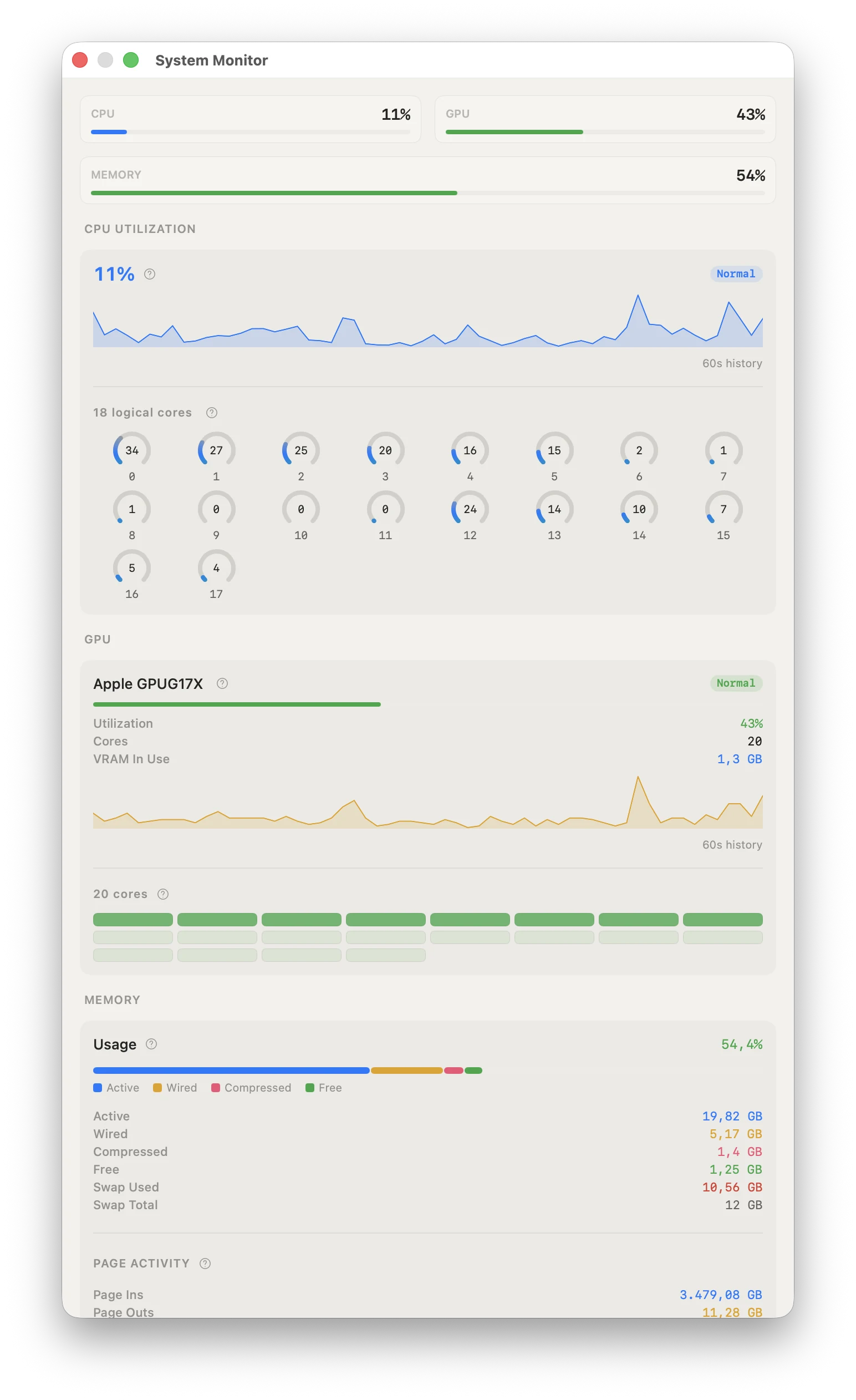
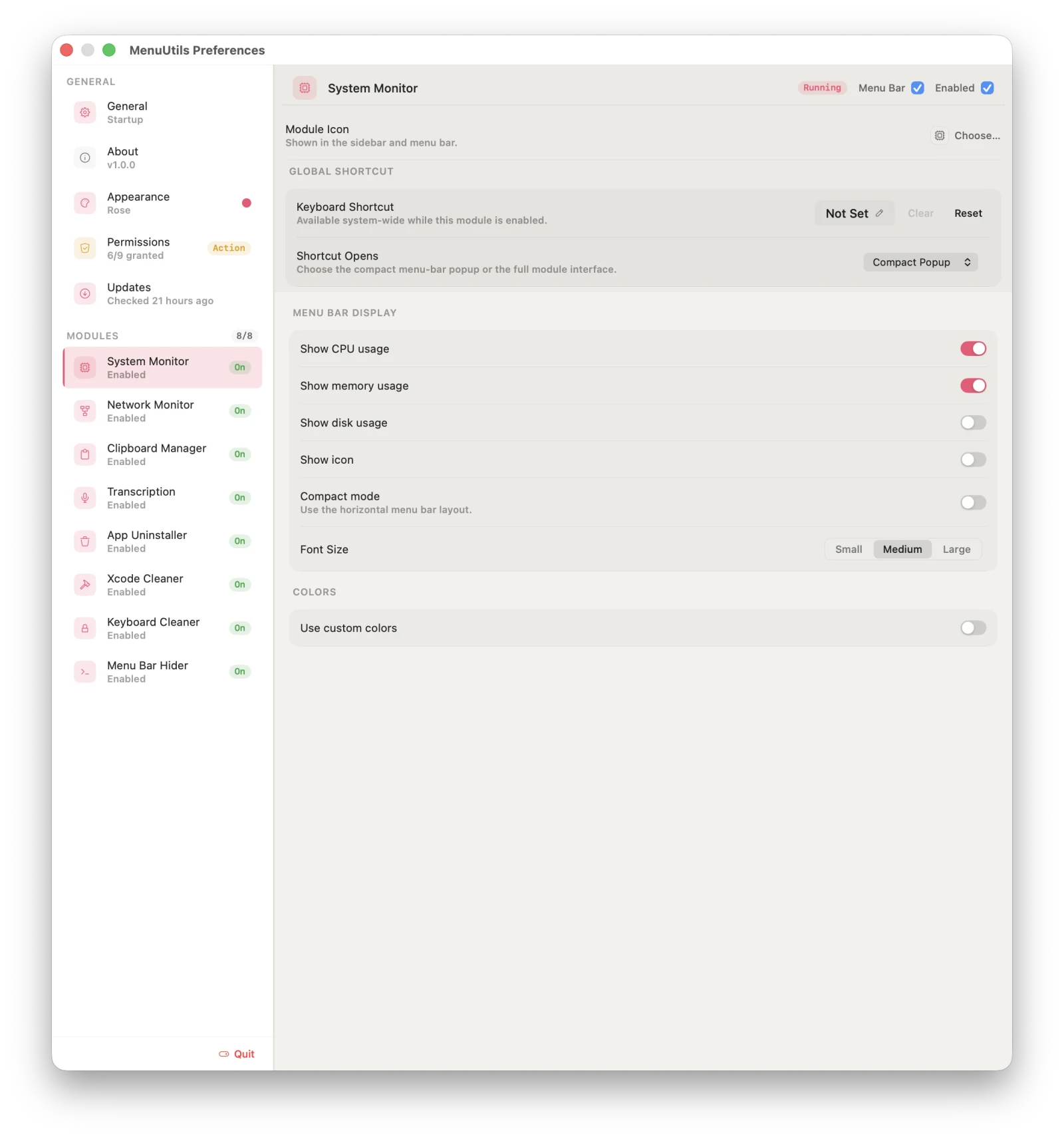
CPU, memory, disk, and GPU at a glance — with a detail window that goes as deep as Activity Monitor when you need it: per-core utilization, fan RPM, thermal state, top processes.
Per-core CPU + GPU utilization
Fan speed & temperature sensors
Memory purge to reclaim RAM
Direct download only
02/08
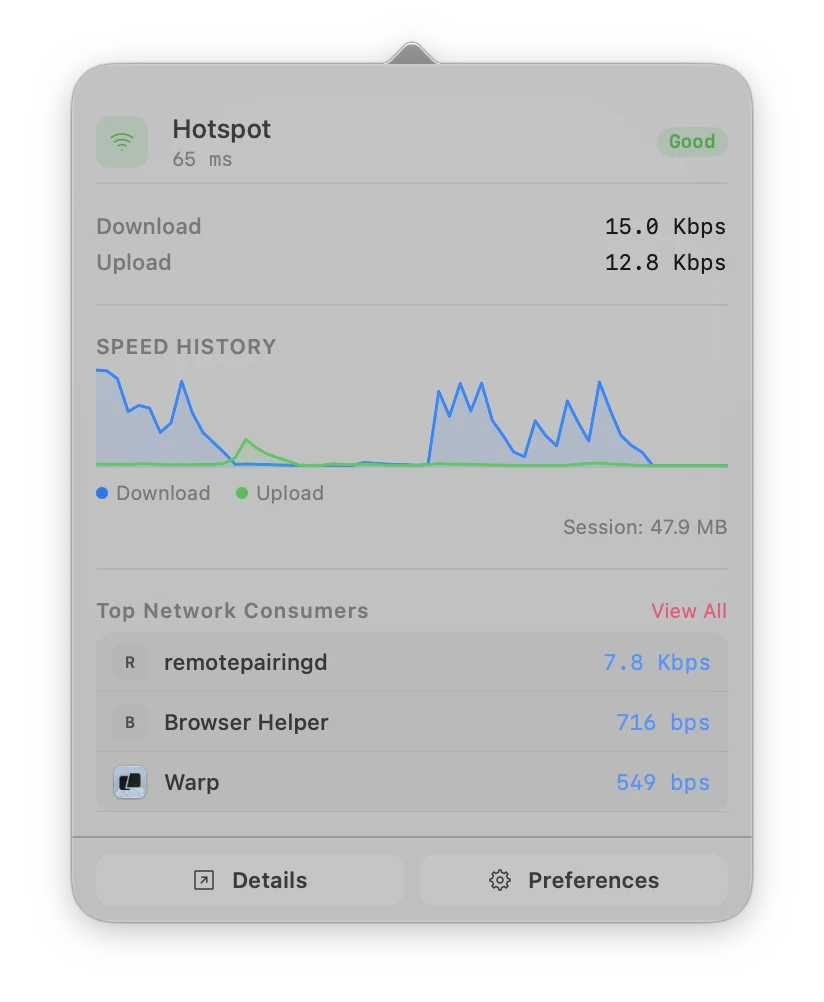
Network Monitor
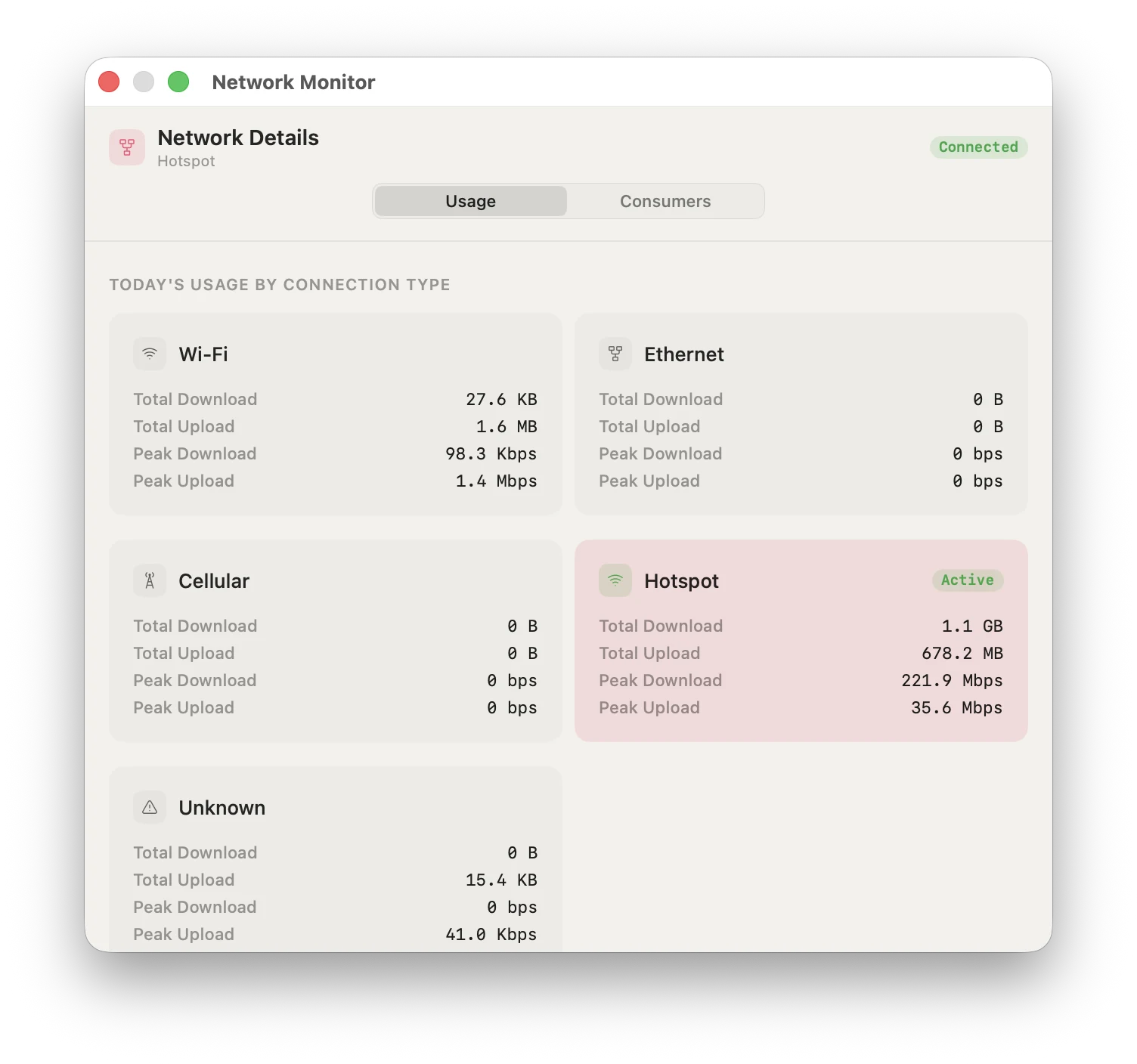
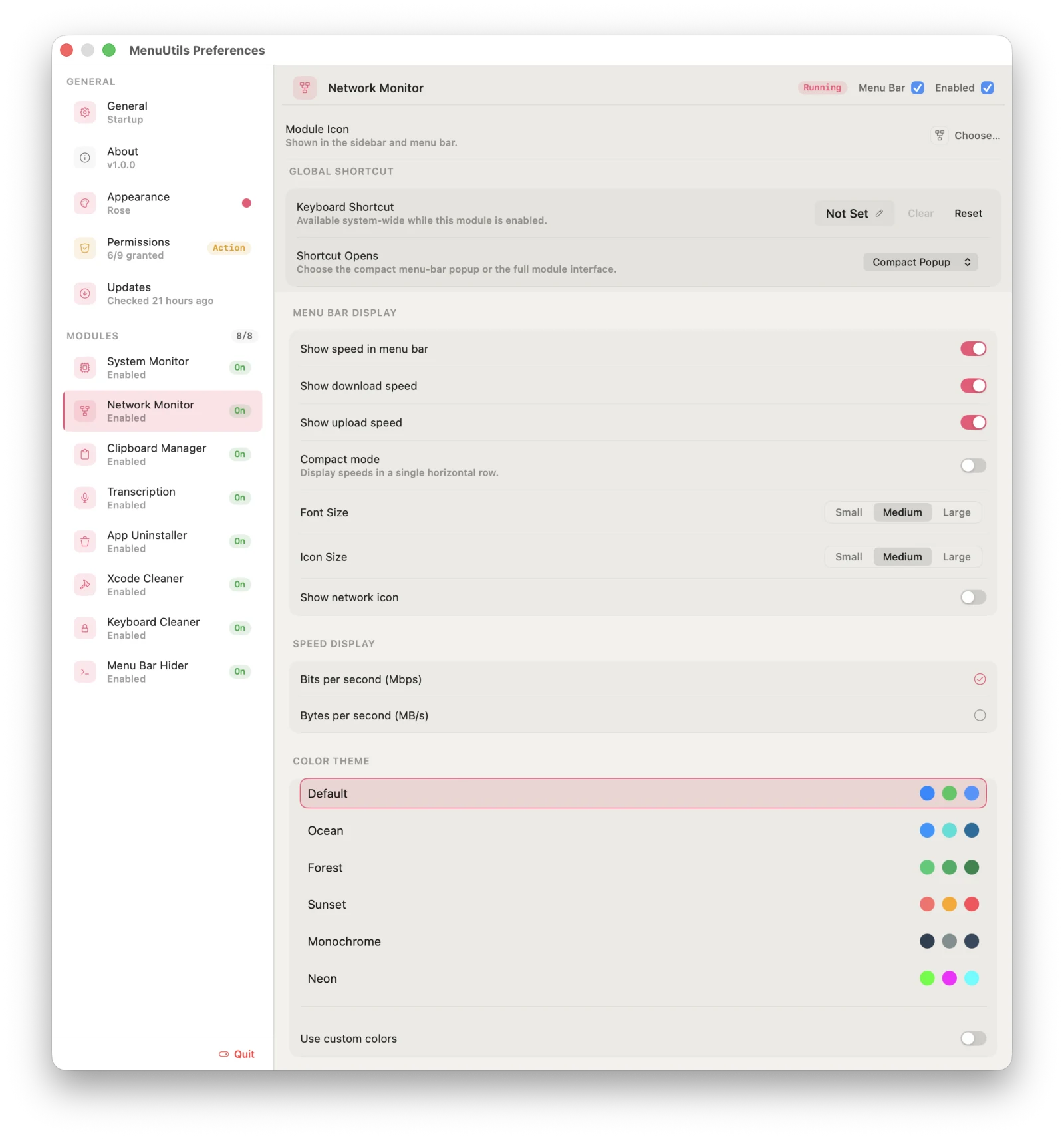
Live upload and download throughput in the menu bar, with hour, day, week, and month history and per-interface breakdowns as you move between Wi-Fi, Ethernet, and hotspot.
Live speed with compaction-tiered history
Top apps by live download & upload
Per-connection-type usage totals
Line, bar, and area chart views
03/08
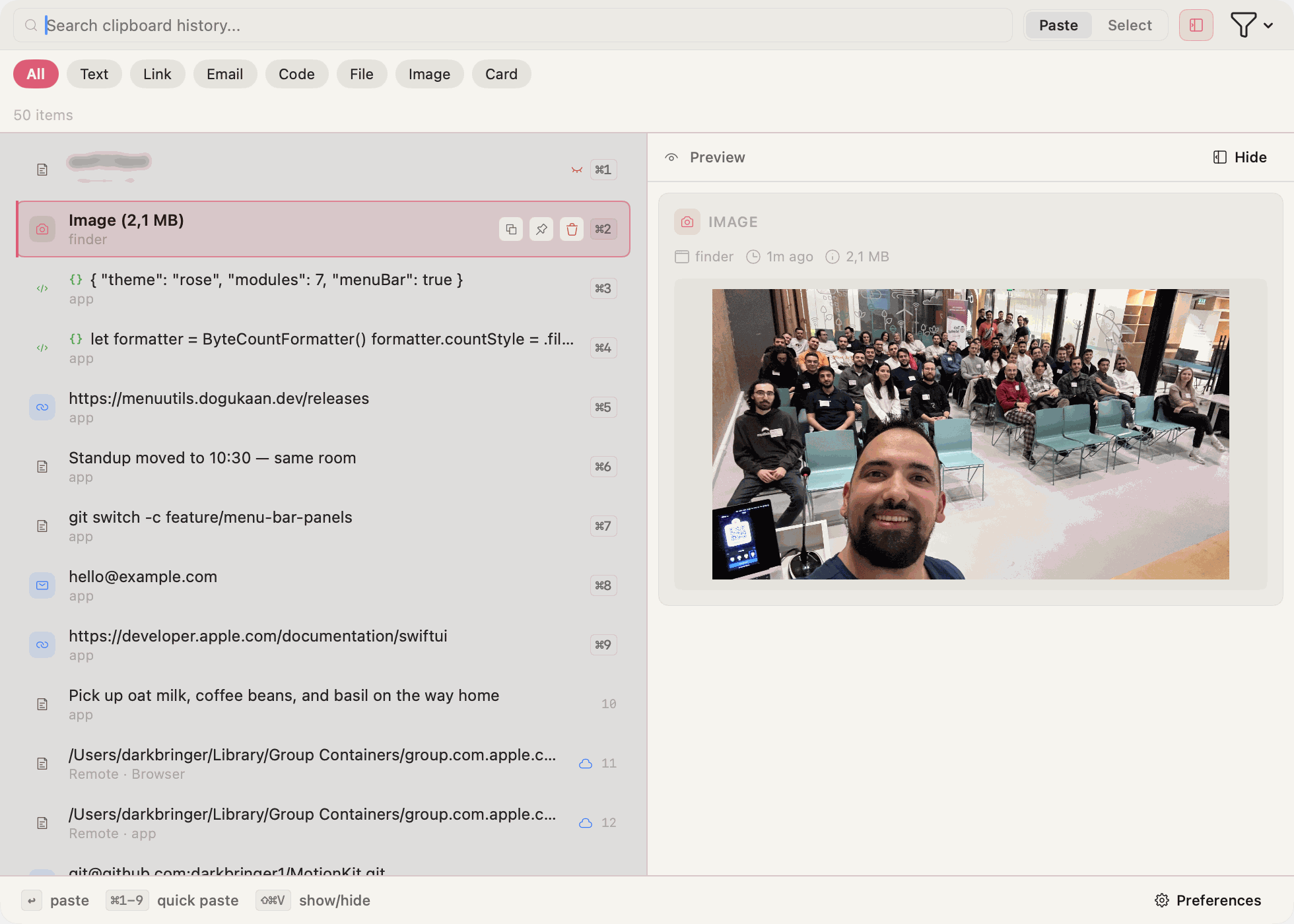
Clipboard Manager
Every copy you make, searchable and typed — links, code, colors, files, images — behind a global shortcut that works from anywhere, with sensitive content blurred until you ask for it.
Content-kind detection & filters
Sensitive-content blur, pinned entries
Global shortcut, no app switch needed
04/08
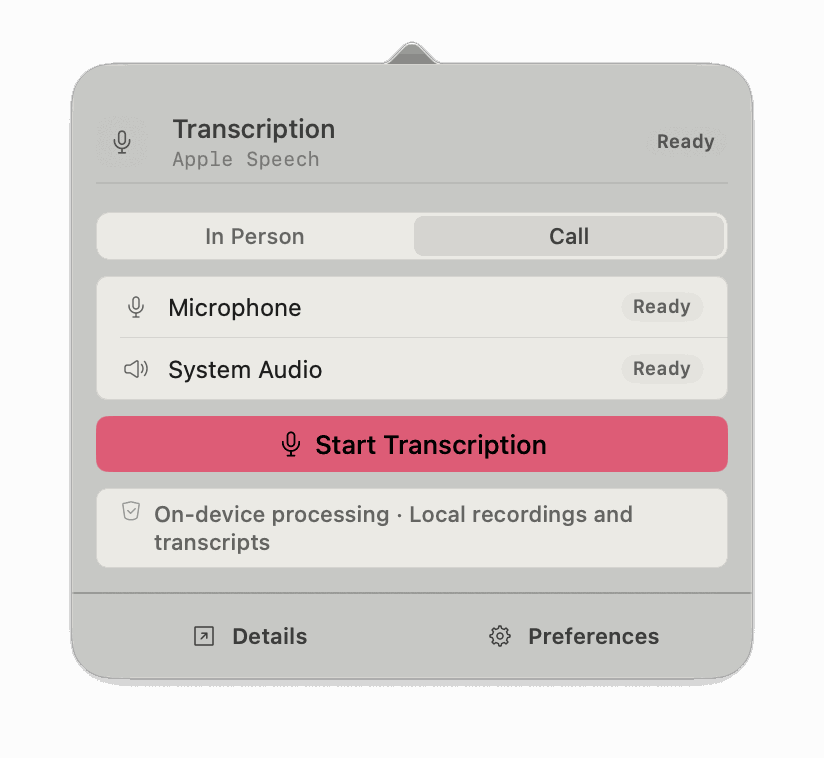
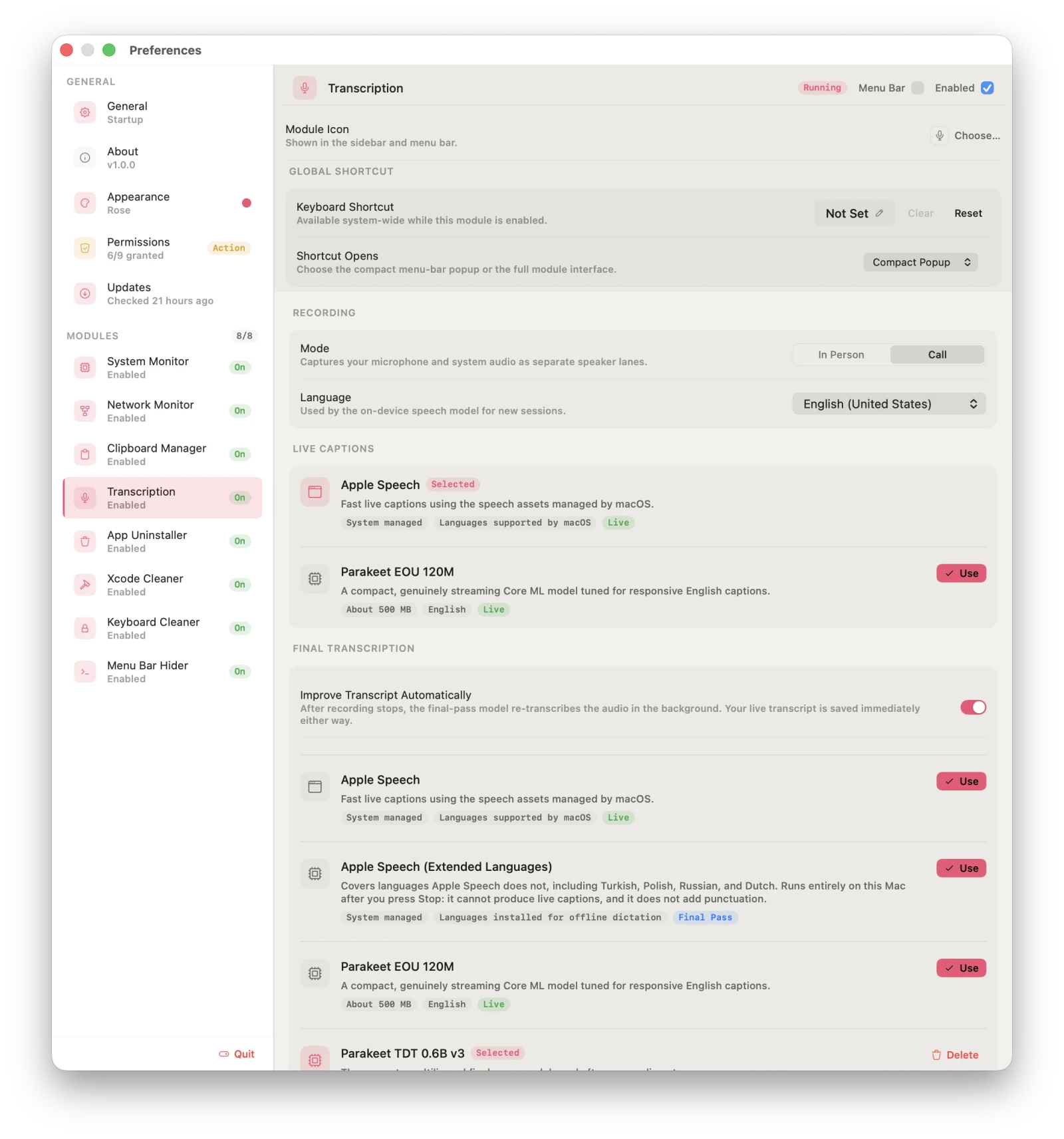
Meeting Transcription
Transcribe a call or an in-person conversation as it happens, or import a recording you already have. Your microphone and system audio are kept as separate lanes, so what you said and what the other side said never blur together — and speech is recognized on your Mac with Apple Speech or downloadable Parakeet models.
Live captions, then a final pass rebuilt from the saved audio
Import audio & video files, re-transcribe in another language
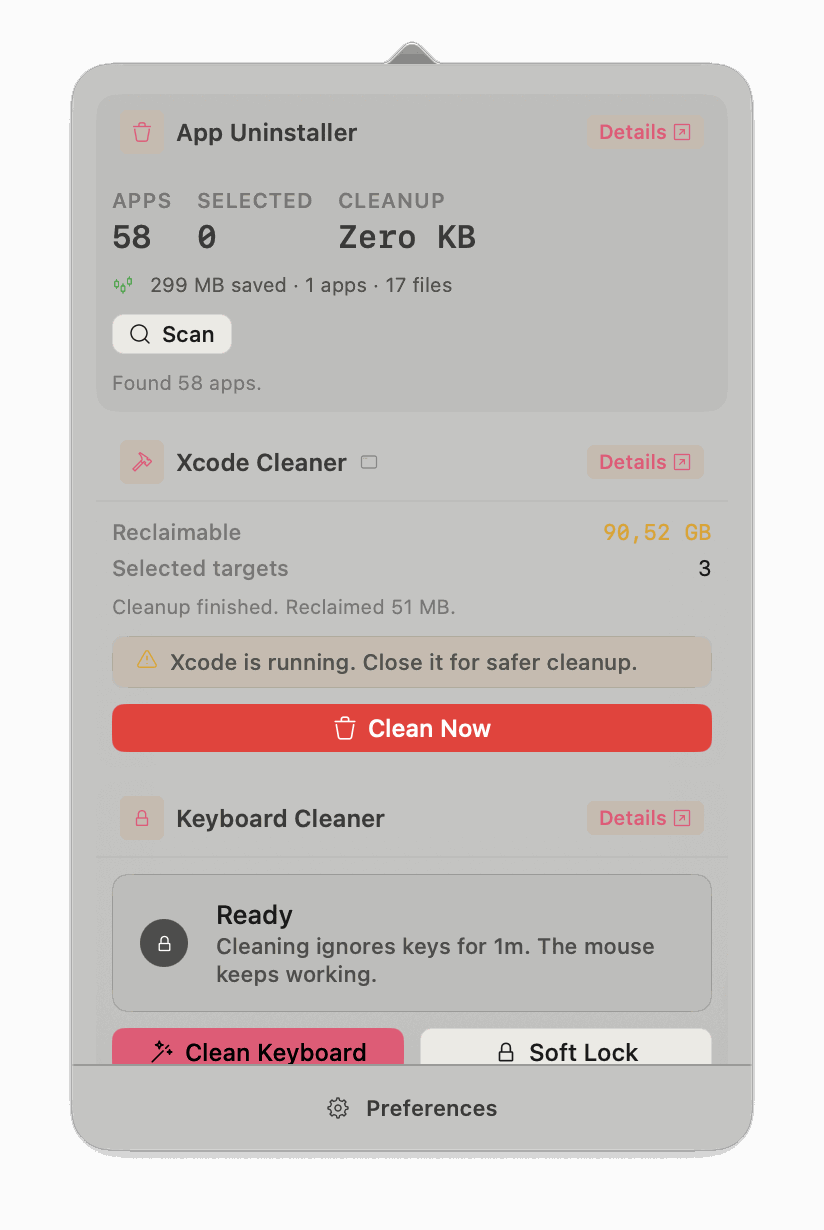
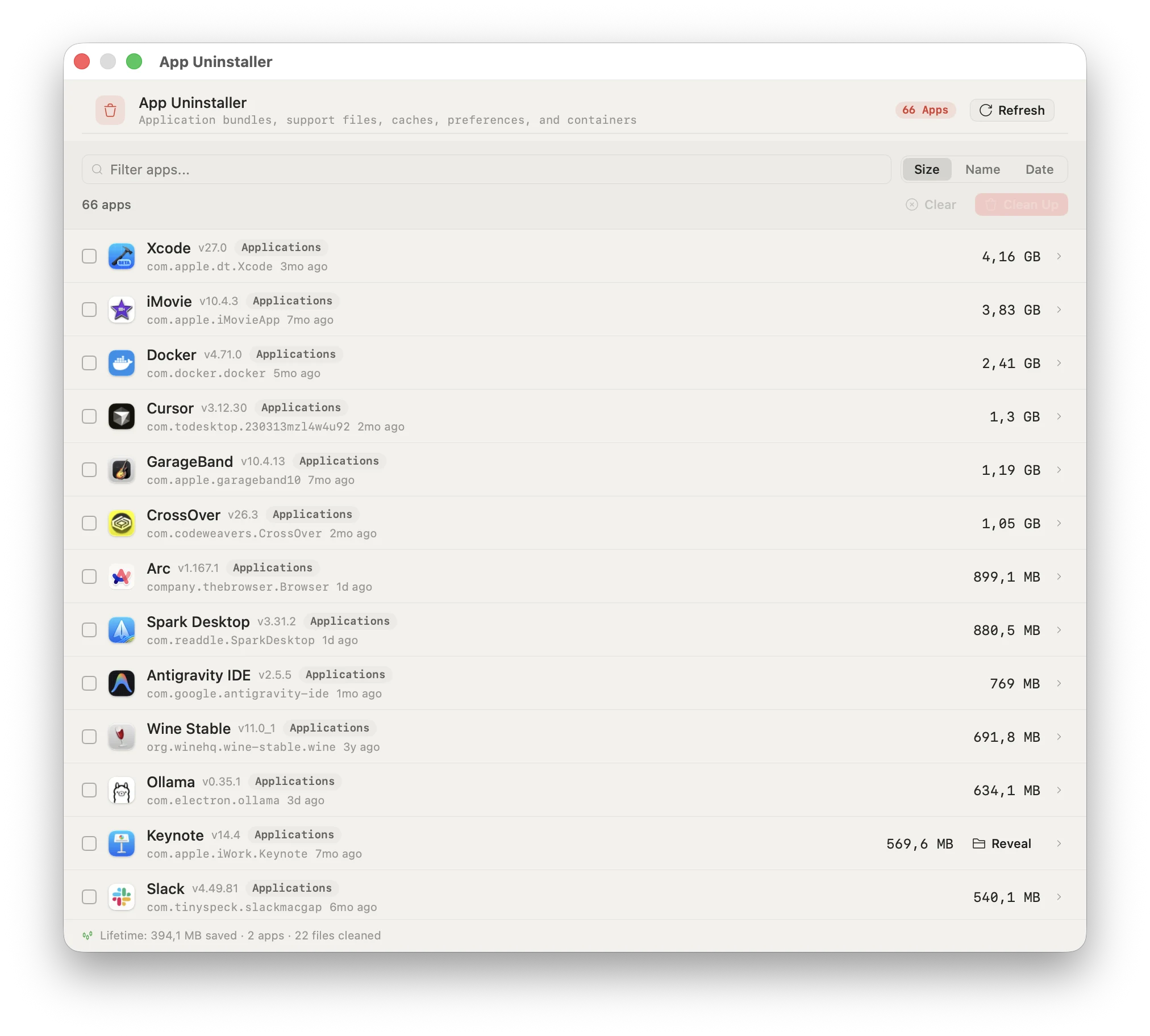
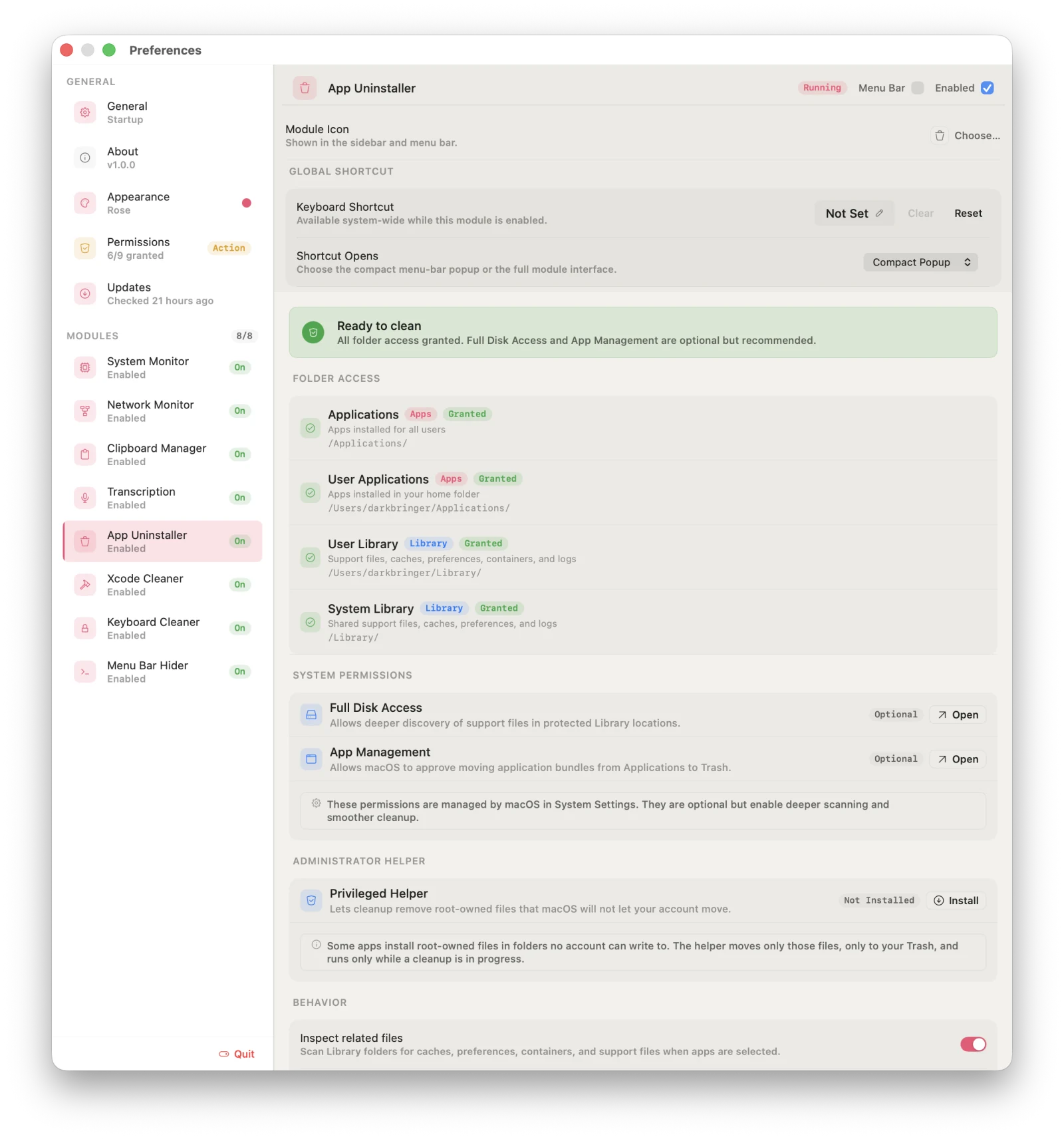
See every installed app sorted by size before you decide what goes. It moves the app bundle and its support files, caches, preferences, and containers to Trash. When a leftover is owned by root, an optional helper finishes the job — and when something can't be removed, you're told exactly why.
Size, name, or date sort across all apps
Support files, caches & containers included
Optional helper that can only move files to Trash
Direct download only
06/08
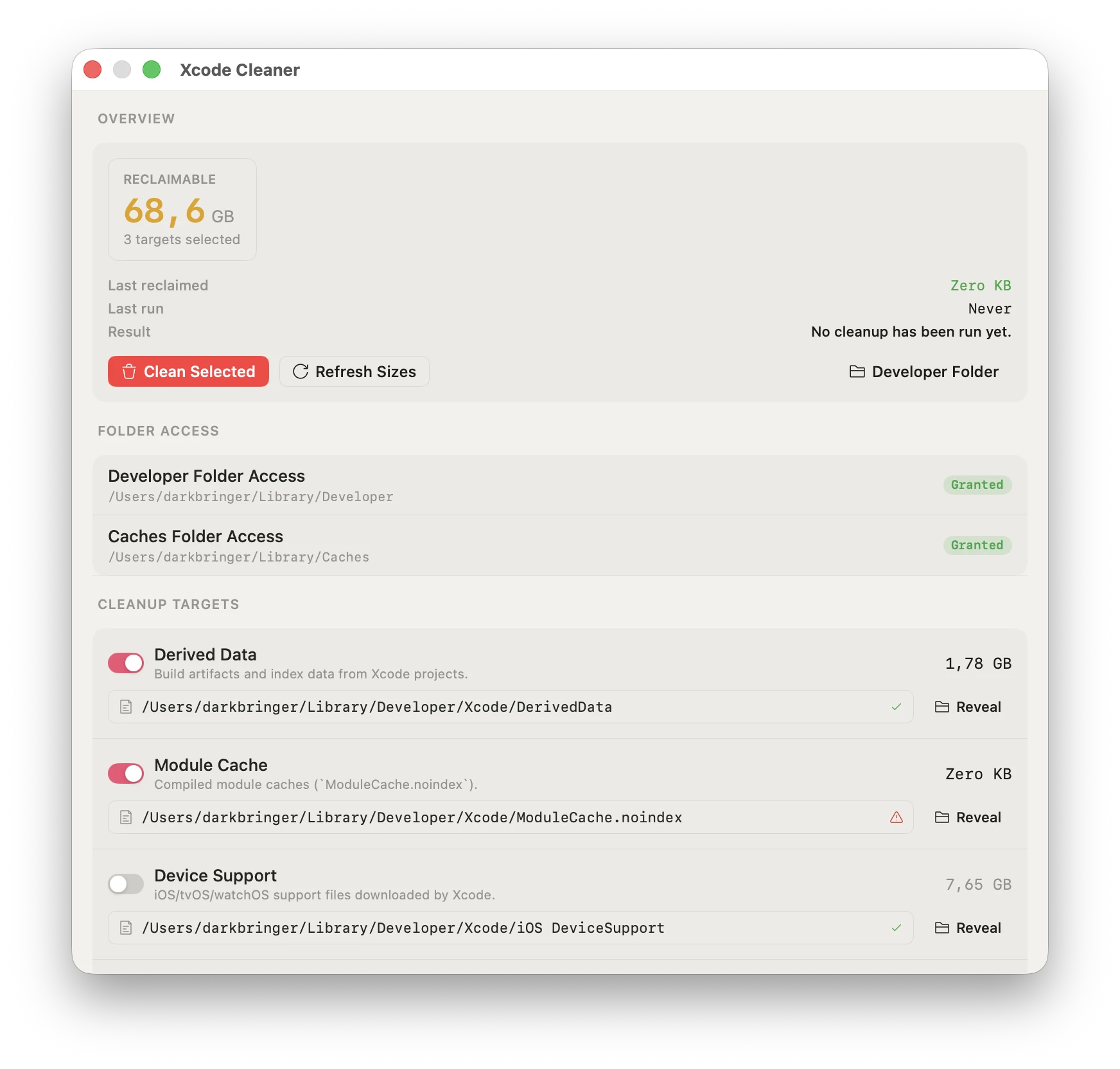
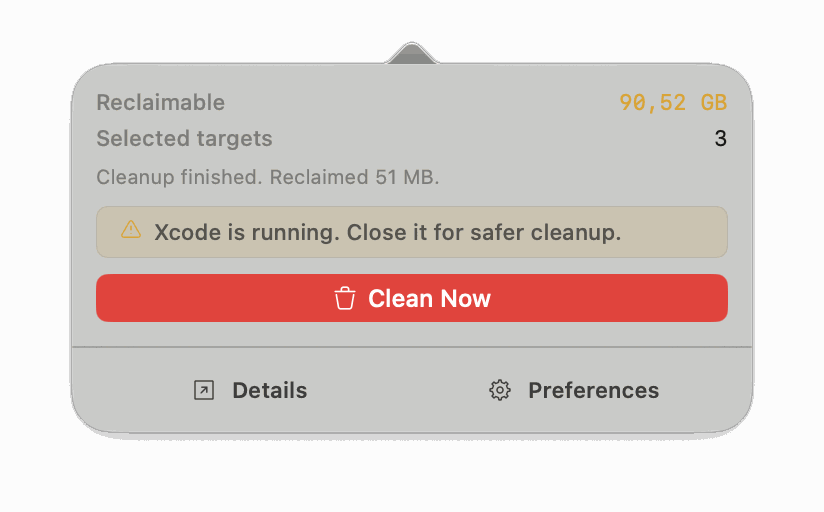
Xcode Cleaner
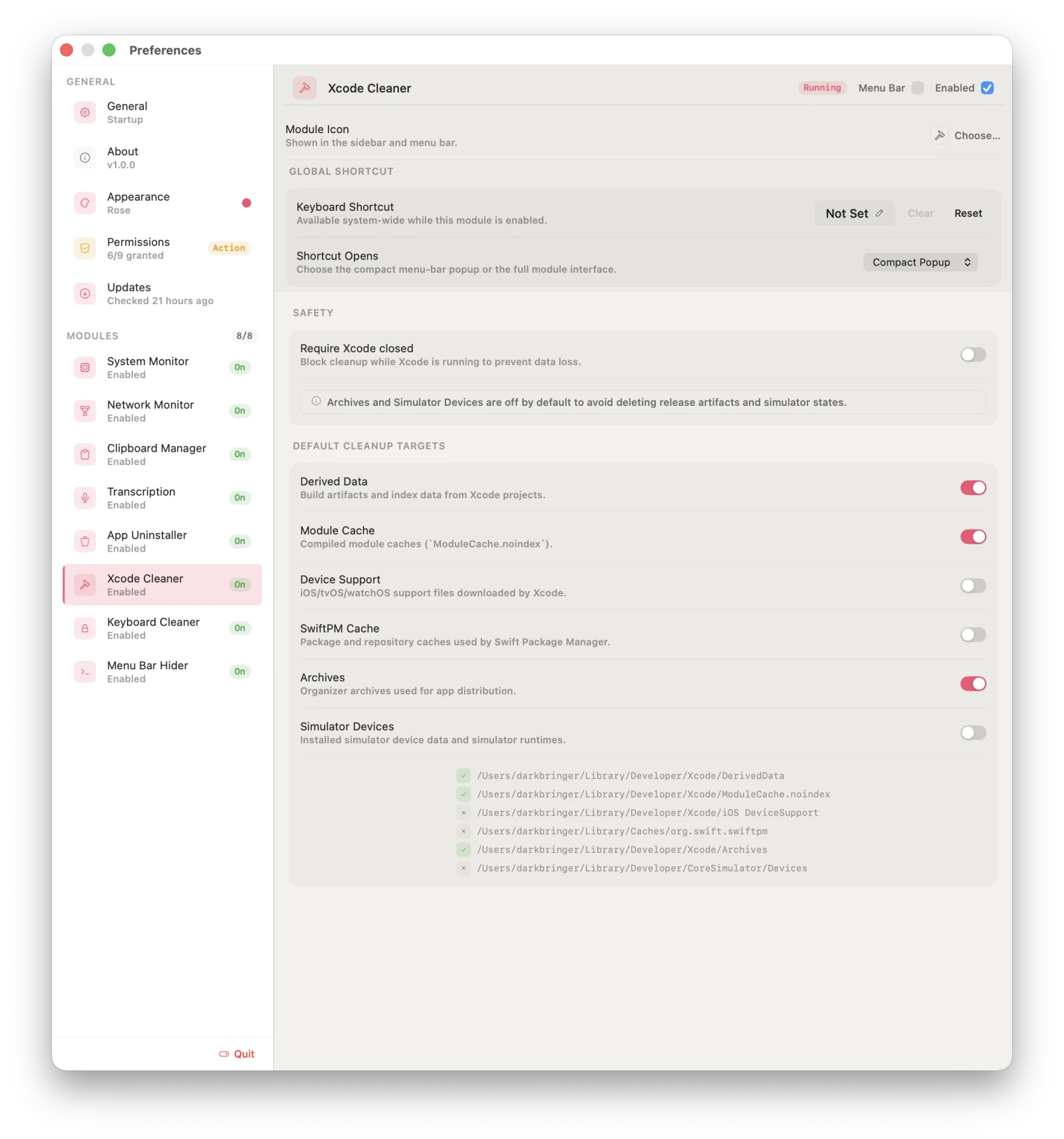
DerivedData, module caches, device support, and stale simulators — totalled before you delete a byte, and blocked while Xcode is open to keep your build state safe.
Reclaim total shown before cleanup
Blocks cleanup while Xcode is running
Touches only the Xcode folders it lists
07/08
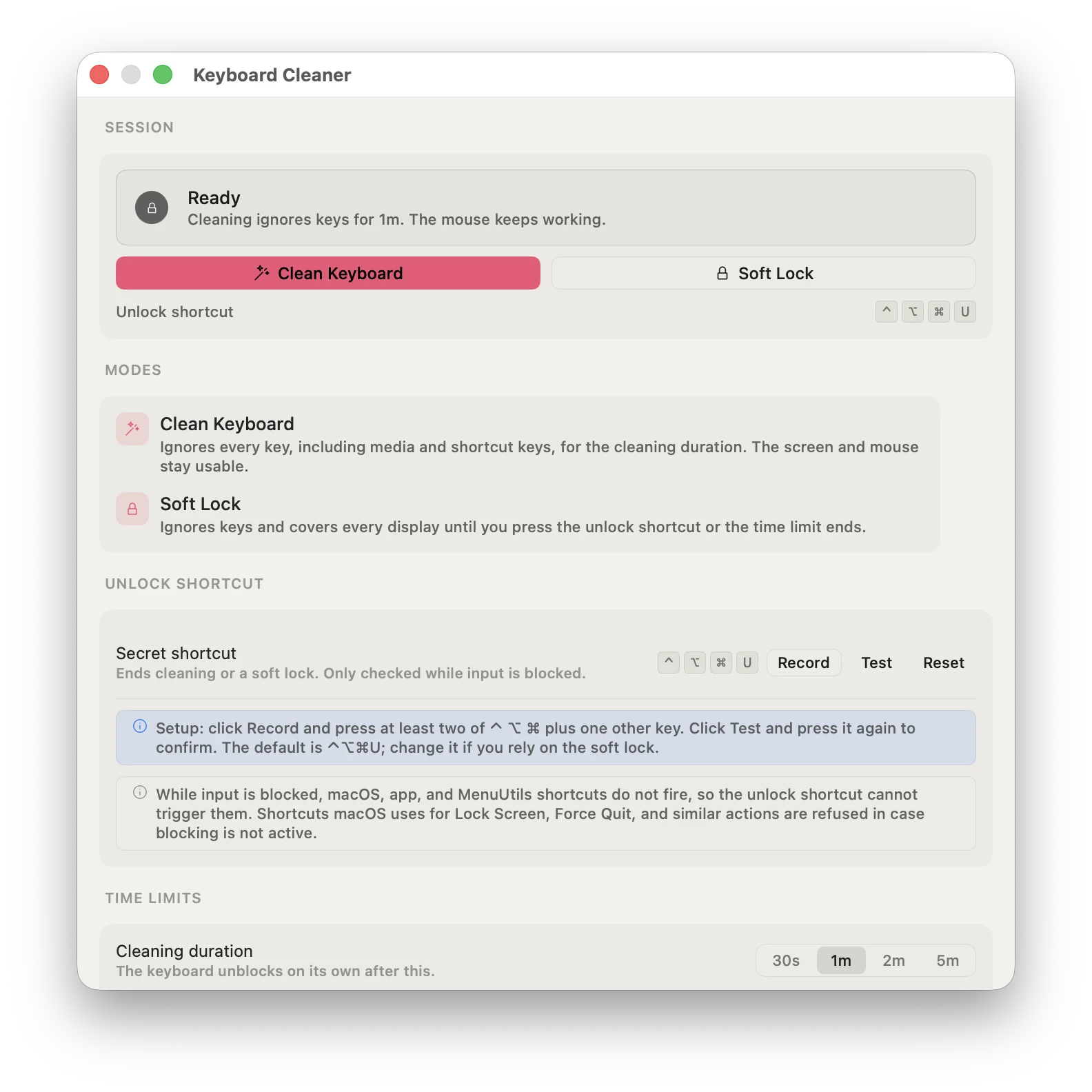
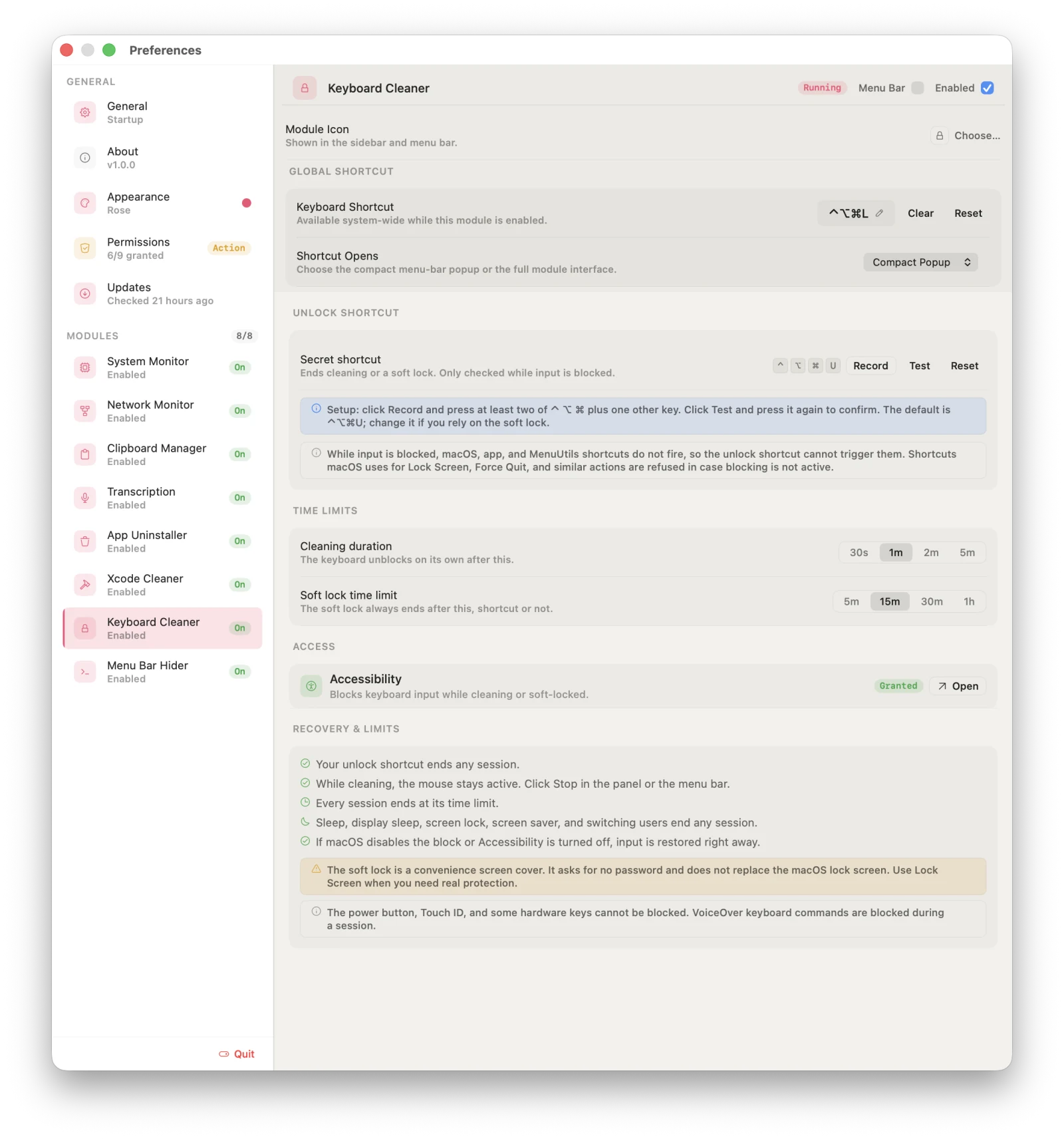
Keyboard Cleaner
Wipe down your keyboard without typing into whatever is open. Clean Keyboard blocks keys, modifiers, and media keys for a timed session while the pointer stays free to hit Stop. Soft Lock covers every display until you press your unlock shortcut — a quick screen cover, not a replacement for the macOS lock screen.
Timed cleaning sessions, 30 seconds to 5 minutes
Soft Lock with a custom unlock shortcut (default ⌃⌥⌘U)
Fails open: sleep, screen lock, or lost access restores input
Direct download only
08/08 New
Menu Bar Hider
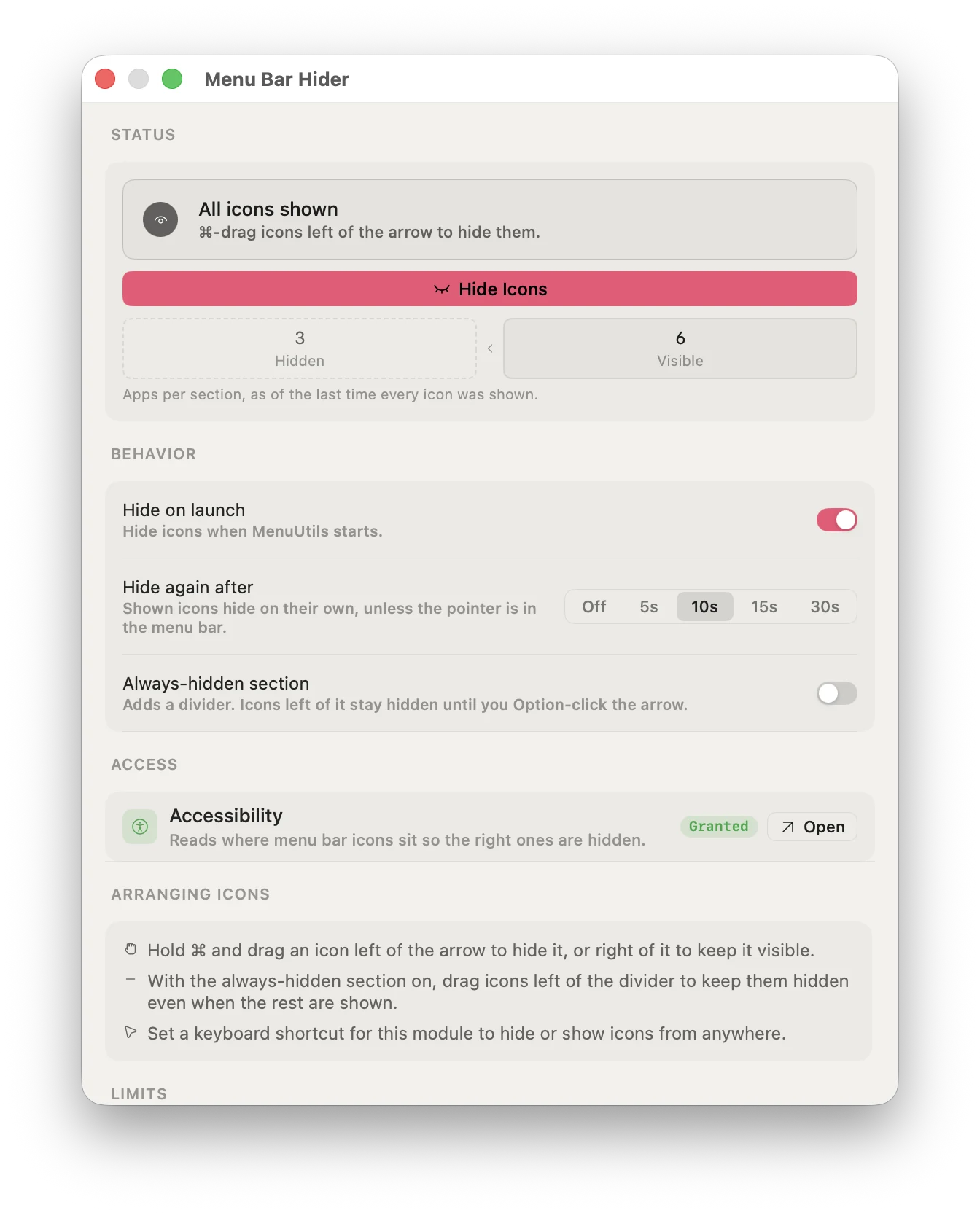
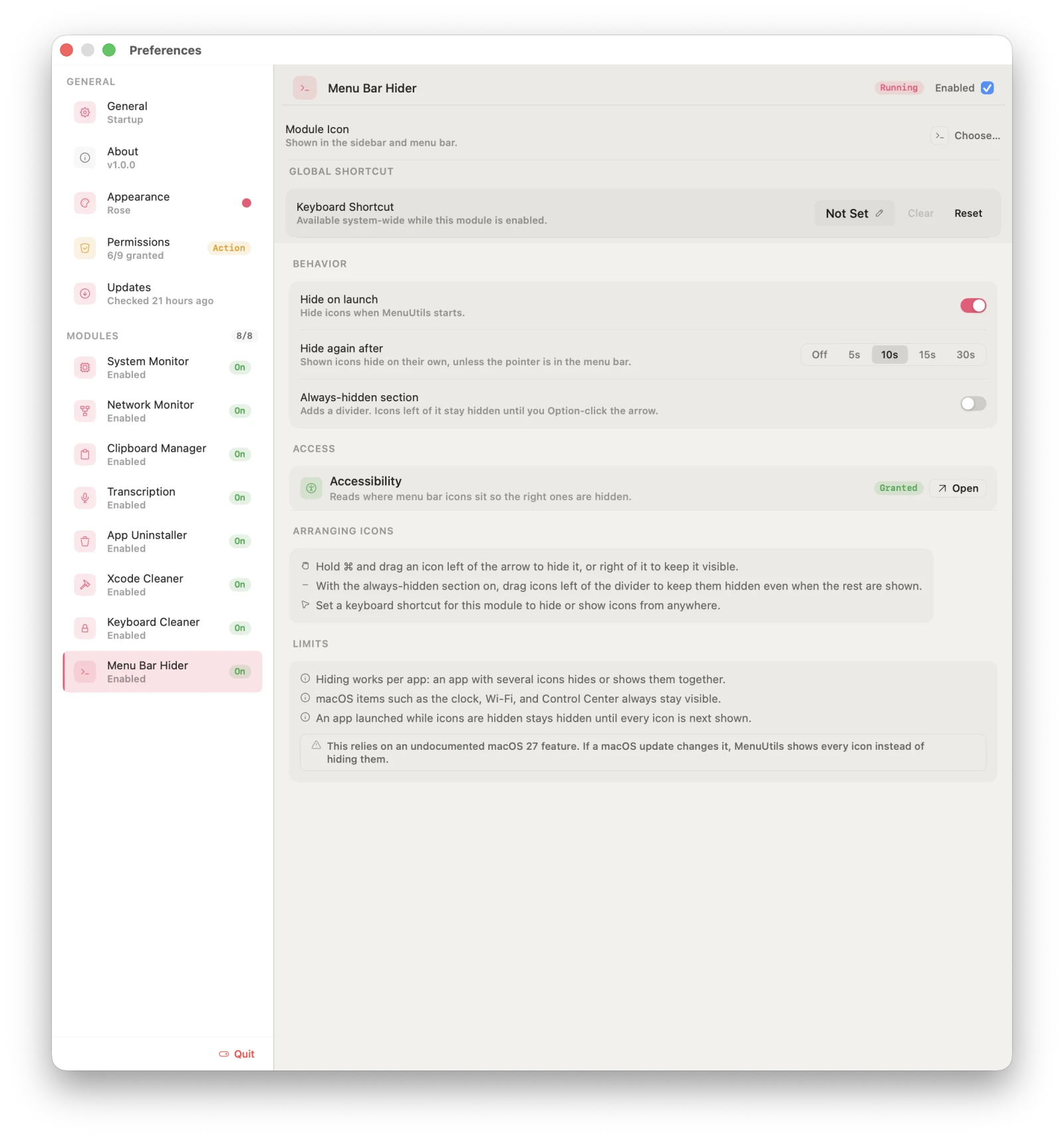
Too many icons up top? MenuUtils adds an arrow to the menu bar. ⌘-drag the icons you rarely need to its left, and one click hides them — another brings them back. Add a divider for icons that should stay hidden until you Option-click the arrow.
Hide on launch, or hide again after a delay
Optional always-hidden section behind a divider
A global shortcut to hide or show from anywhere
Chevron, eye, dot, or sidebar arrow styles
macOS 27 · Direct download only
9:41
Always hiddenHiddenVisible
All icons shown⌘-drag icons left of the arrow to hide them.
Illustration of Menu Bar Hider
09:41
9:41
Always hiddenHiddenVisible
All icons shown⌘-drag icons left of the arrow to hide them.
Illustration of Menu Bar Hider
01 / 08System Monitor
02 Three surfaces
Glance. Dig in. Tune.
Every module answers at three depths, so the menu bar stays quiet until you want more.
01
Glance
A compact panel straight from the menu bar — live numbers and the one action you need.
02
Dig in
Details opens a full window: history, breakdowns, and every chart type the data deserves.
03
Tune
Each module ships its own settings — menu-bar display, thresholds, and a global shortcut to open it from anywhere.
PreferencesDetails windowMenu bar panel
03 Preferences
Every setting, one window.
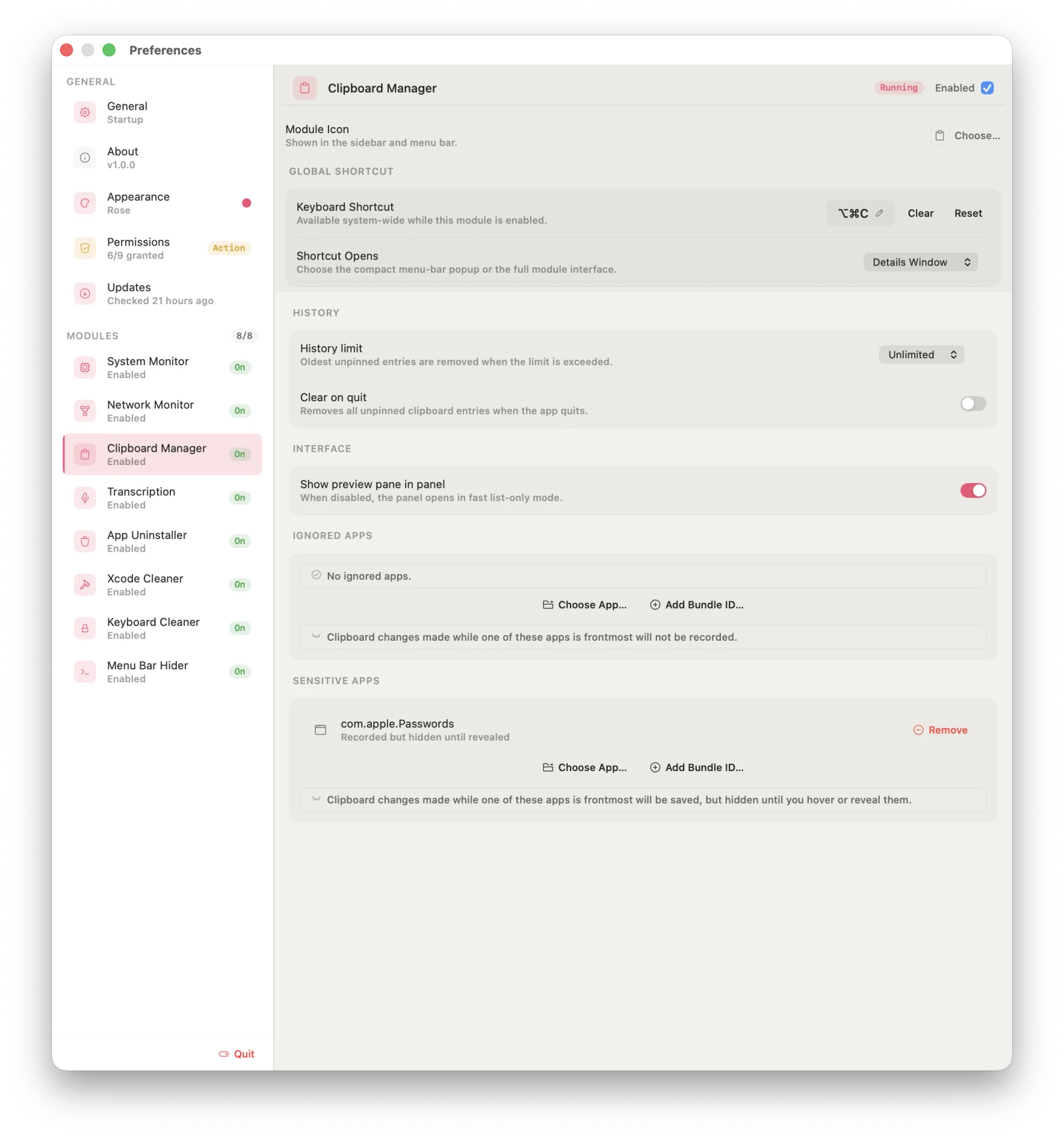
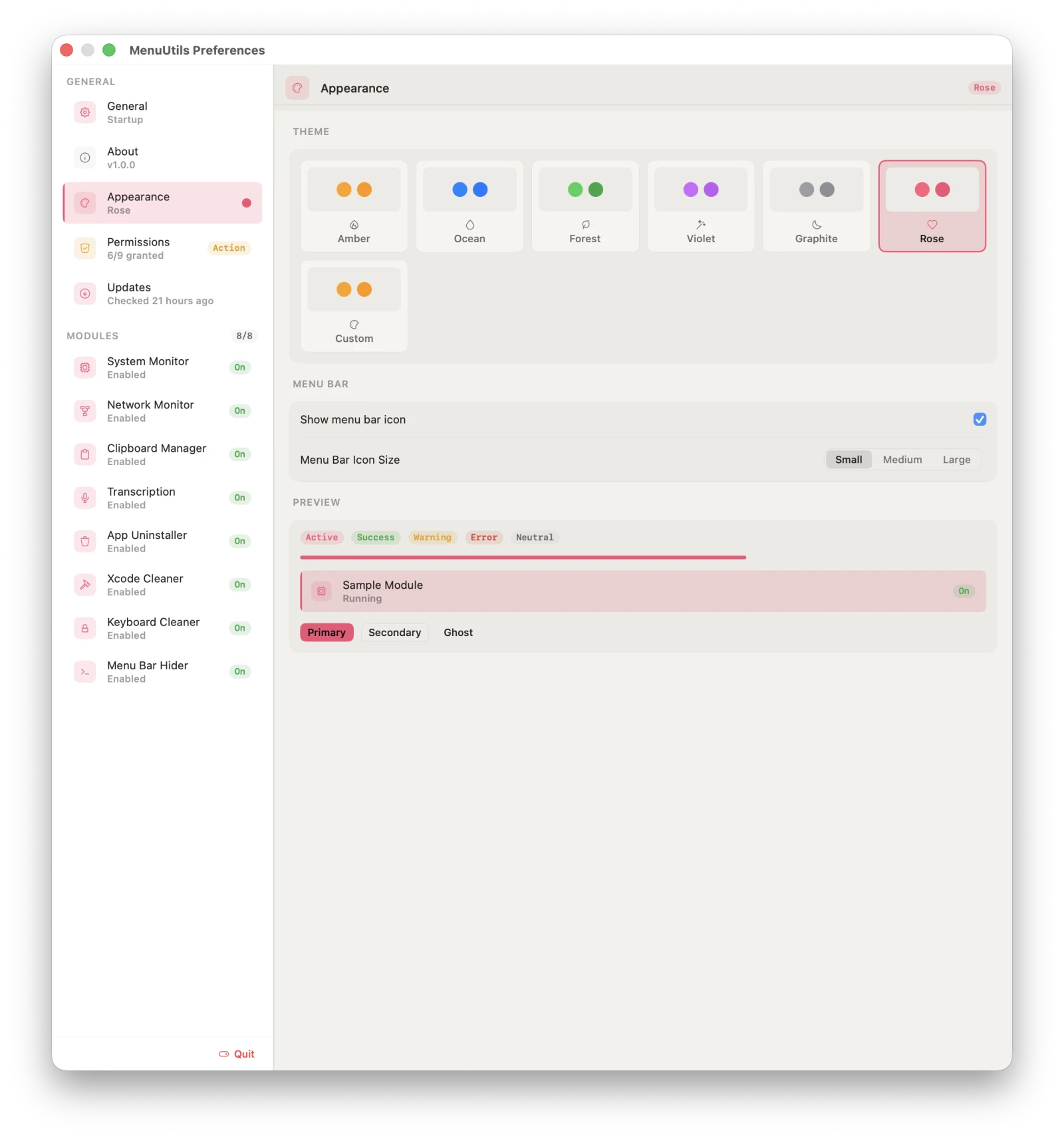
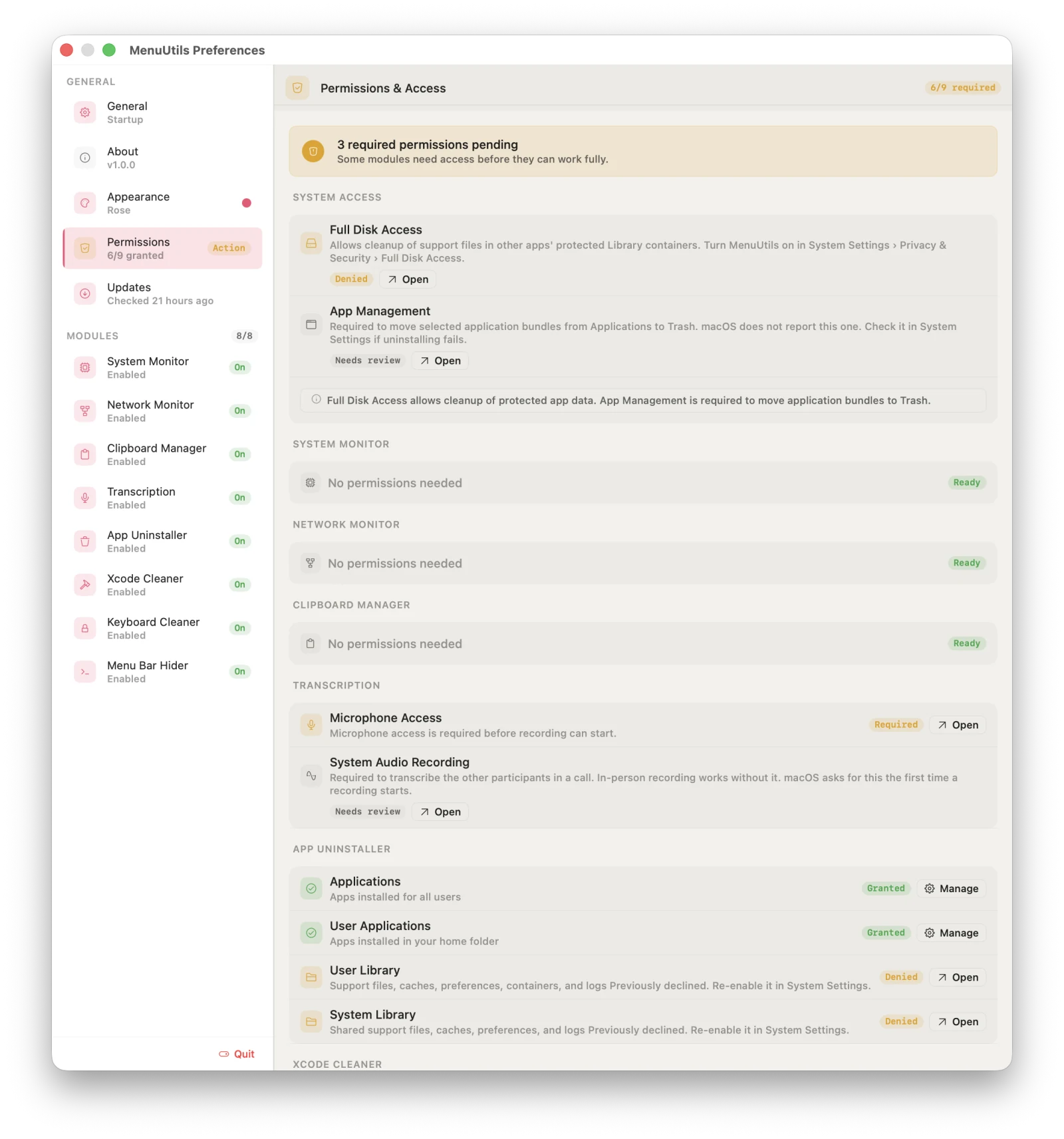
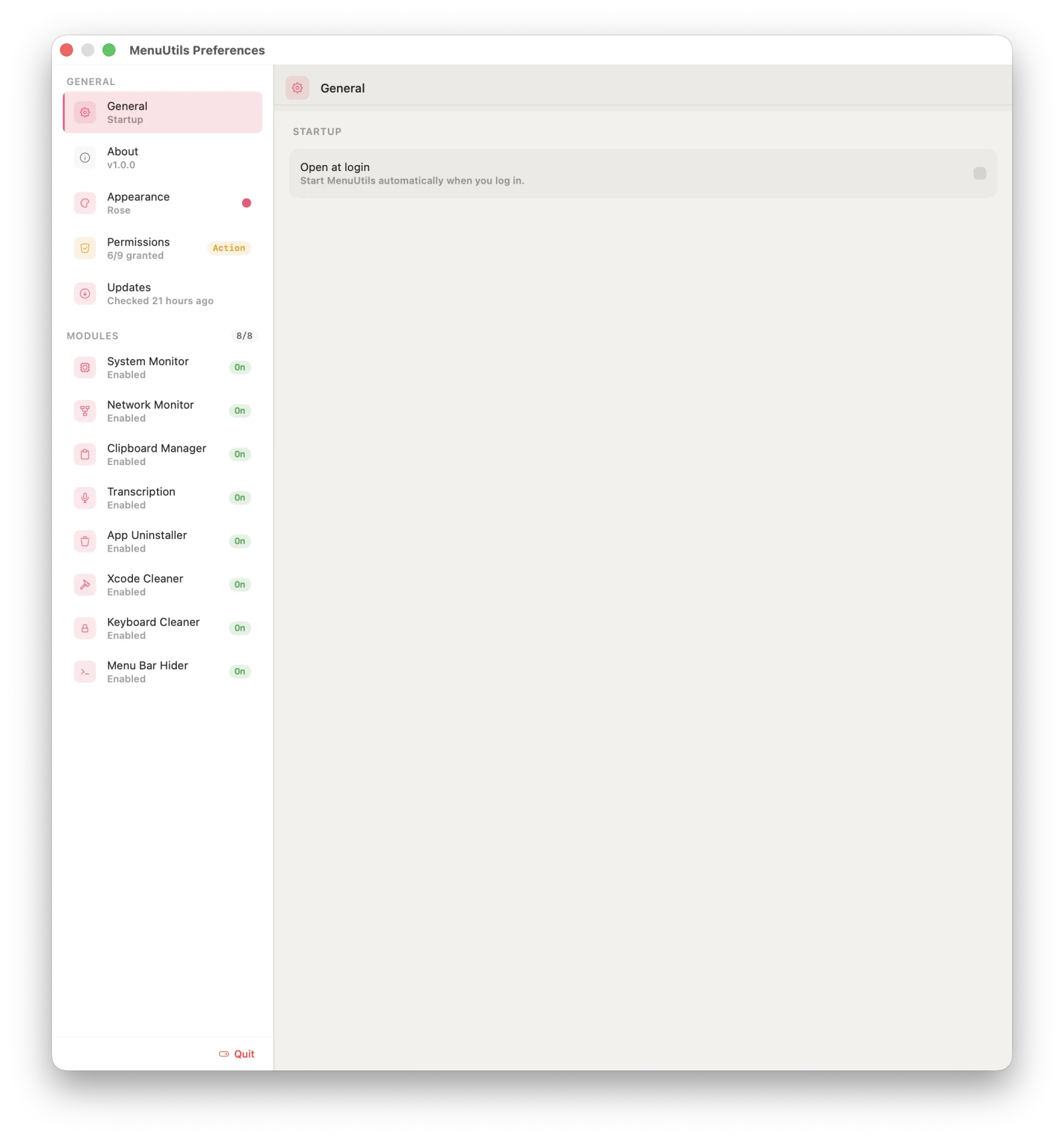
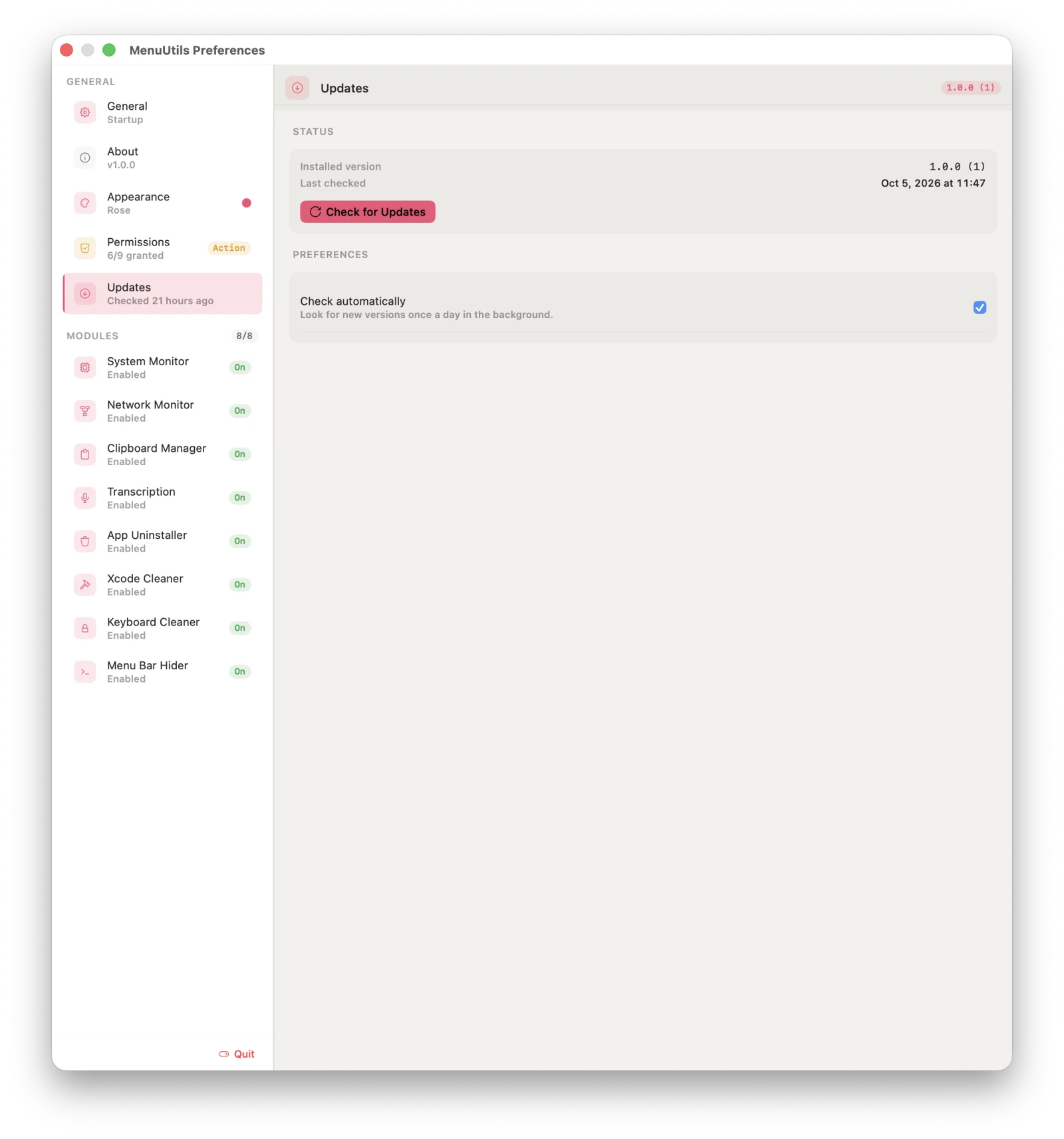
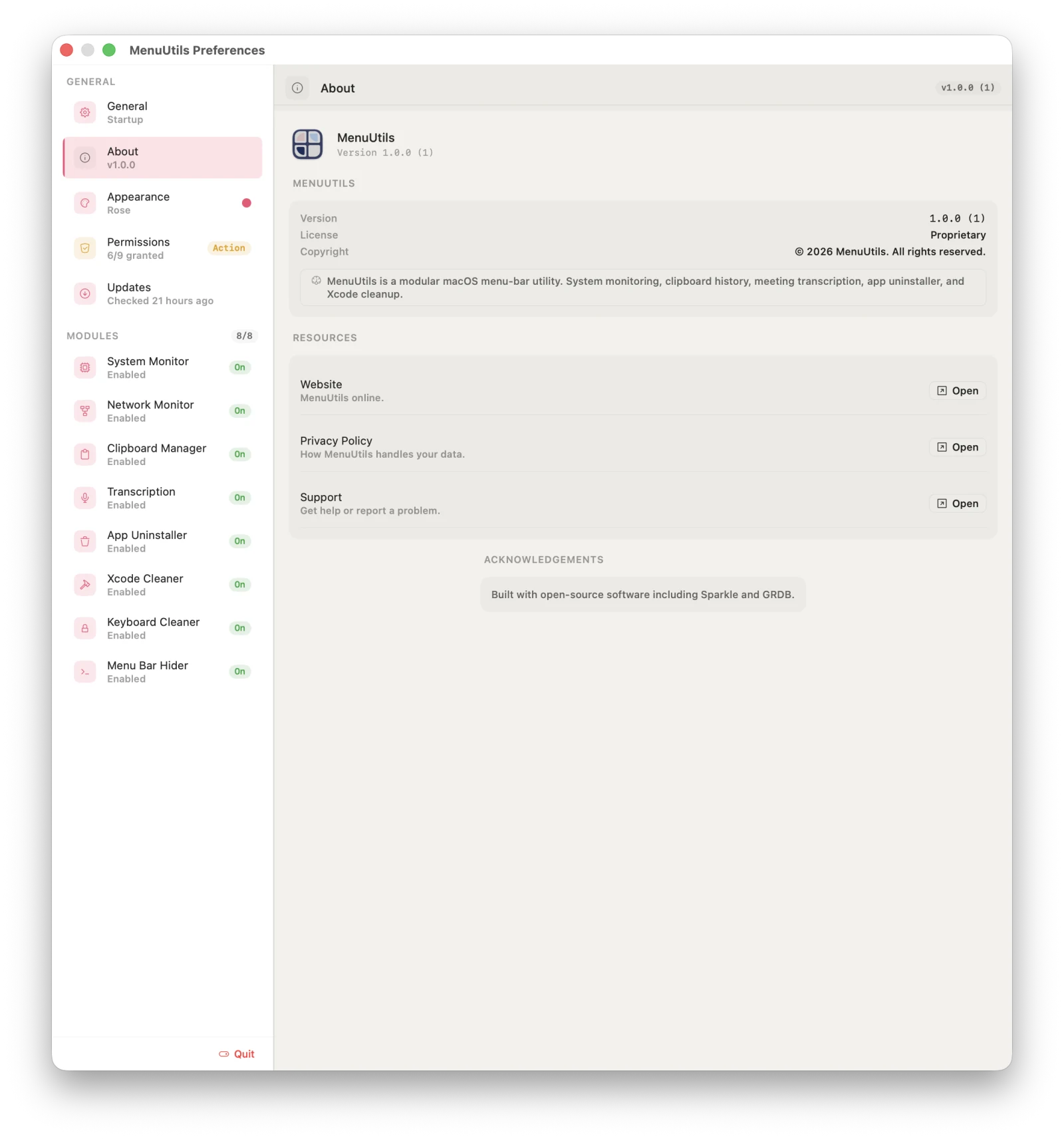
Each module brings its own pane — what it shows in the menu bar, a global shortcut, and the behavior that matters to it — beside appearance, permissions, and updates.
01 / 13
01System MonitorChoose what the menu bar shows — CPU, memory, disk, an icon, or a compact layout.02Network MonitorSpeed in the menu bar, bits or bytes per second, and six color themes.03Clipboard ManagerHistory limit, ignored apps, and sensitive apps whose copies stay hidden until revealed.04TranscriptionIn-person or call mode, language, and the live and final-pass speech models.05App UninstallerFolder access, optional Full Disk Access and App Management, and the privileged helper.06Xcode CleanerPick what gets cleaned — DerivedData, module cache, device support, SwiftPM cache, archives, simulators.07Keyboard CleanerA secret unlock shortcut, session and Soft Lock time limits, and recovery rules.08Menu Bar HiderHide on launch, hide again after a delay, and an always-hidden section.09AppearanceSix accent themes or your own, menu bar icon size, and a live preview.10PermissionsEvery permission each module uses, its status, and a way straight to System Settings.11GeneralOpen MenuUtils at login.12UpdatesSparkle checks once a day in the background, or whenever you ask.13AboutVersion, license, and where to get help.
04 Editions
Two editions, one codebase.
The direct download is the complete product. The Mac App Store edition is sandboxed and leaves out the modules that need access the sandbox can't grant.
Included 8
System MonitorCPU, GPU, sensors, memory purge
Network MonitorLive speed, history, top apps
Clipboard ManagerHistory & global shortcuts
Meeting TranscriptionMicrophone & system audio
App UninstallerIncl. root-owned leftovers
Xcode CleanerDerivedData, caches, simulators
Keyboard CleanerCleaning mode & Soft Lock
Menu Bar HidermacOS 27 · Hide & reveal icons
Not in this edition 0
Nothing left out. Every module ships in the direct download.
Updates
Sparkle, in-app
Sandboxed
No
Notarized
Yes, and stapled
Availability
Available now
Full comparison table
Capability
Direct download
Mac App Store
System Monitor — CPU, GPU, memory, disk, sensors, memory purge
Yes
No
Network Monitor
Yes
Yes
Clipboard Manager & global shortcuts
Yes
Yes
Meeting Transcription — microphone & system audio
Yes
Yes
App Uninstaller & root-owned leftover cleanup
Yes
No
Xcode Cleaner
Yes
Yes
Keyboard Cleaner & Soft Lock
Yes
No
Menu Bar Hider (macOS 27)
Yes
No
Self-update (Sparkle)
Yes
Via App Store
Sandboxed
No
Yes
Notarized & stapled
Yes
Yes
05 Private by design
Your clipboard, your meetings, your keystrokes — none of it leaves your Mac.
No accountsNothing to sign up for, nothing to sign in to.
No analyticsNo usage telemetry and no uploaded crash reports.
No tracking SDKsNo advertising, no third-party trackers of any kind.
On-device speechAudio and transcripts are recognized and stored locally.
The only times MenuUtils goes online
Update checksDirect download only. A standard HTTPS request to this site's update feed.
Speech models you chooseDownloaded once from Hugging Face, then run entirely on your Mac.